
VCenter HA is active – Passive solution, A VCenter Appliance HA Cluster consists of three VCenter Instances, 1st instance used as active and cloned 2 times as Passive & witness nodes.
VCenter HA Requirements:
- Minimum of three ESXi 6.0 or Higher Hosts
- Each VCenter will run on different hosts
VCenter Server 6.5 and higher
- Deploy Small Size (4VCP & 16GB RAM) or higher is required. Not recommend to use tiny in production Environments
Network Connectivity
- Less than 10ms. Latency between Active, Passive and witness nodes
- VCenter HA network must be on different SUBNET than the management network. L2 network is recommended.
Setting up VCenter Appliance HA:
Select VCenter à Configuration à VCenter HA

Select “Set Up VCenter HA” to continue the VCenter HA Configuration
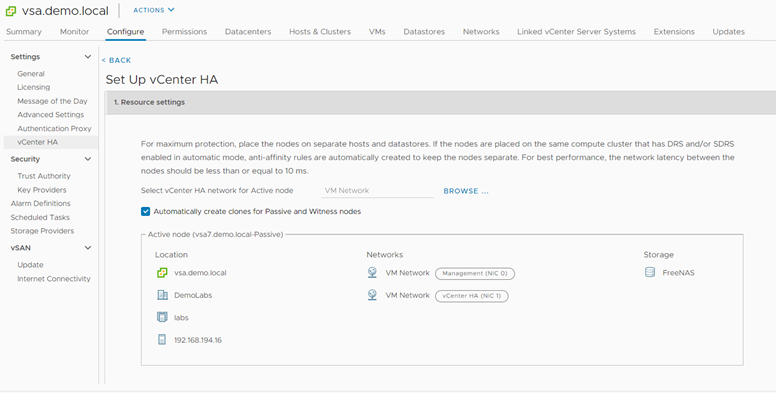
Specify the VCenter HA Network, Additional NIC (VCenter HA Network) will be added in active VCenter.
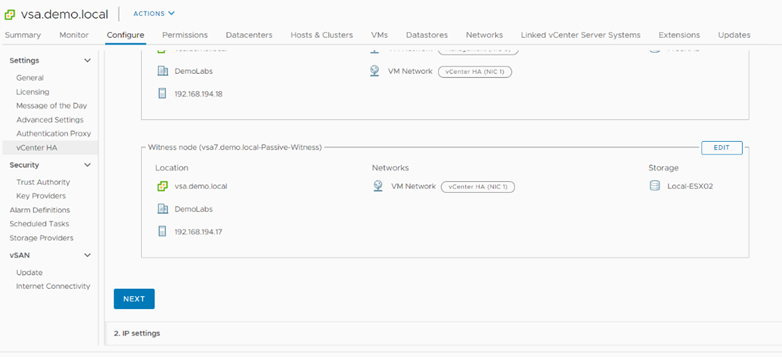
Click Edit and Specify the deployment host, Storage and network for Passive Network.
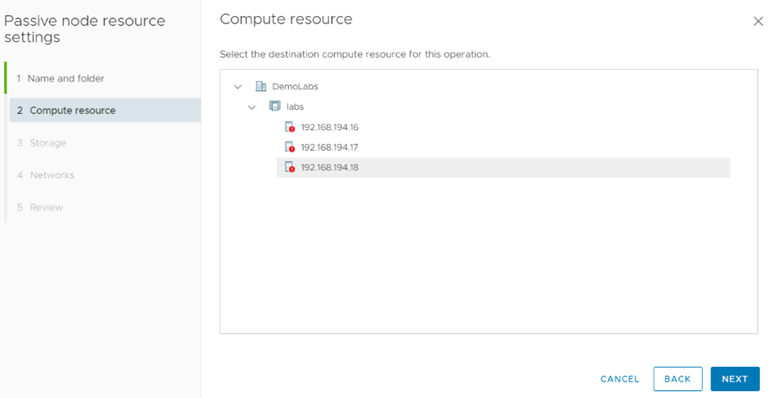
Specify the Host Click Next
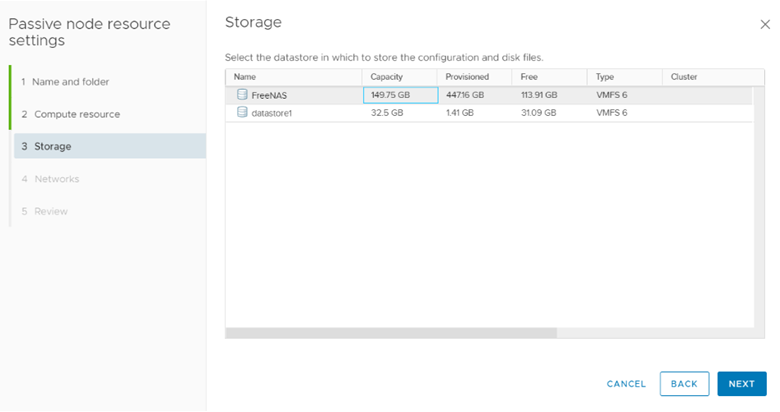
Specify the Datastore where you want to store the passive VCenter node.
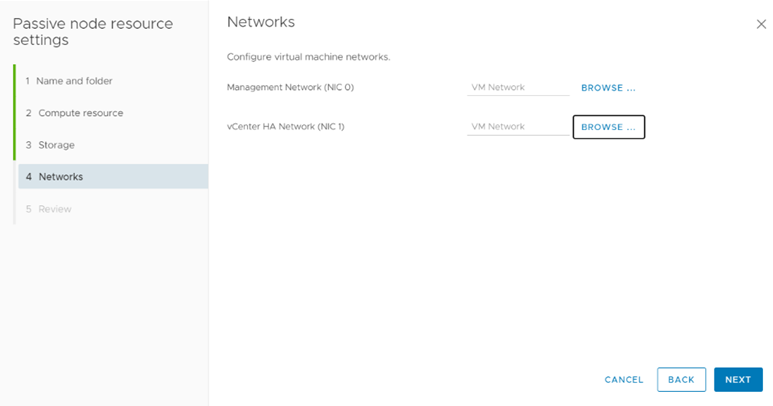
Specify the Network for passive Node

Click Finish. Repeat the same for Witness VM.
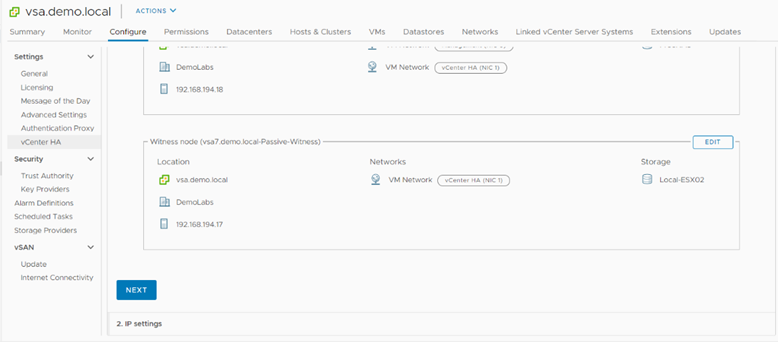
Click Next to configure VCenter Nodes HA IPs.


Click Finish to Start the Process. Whole process can take upto 15-20 min depends on the VM Clone copy process.
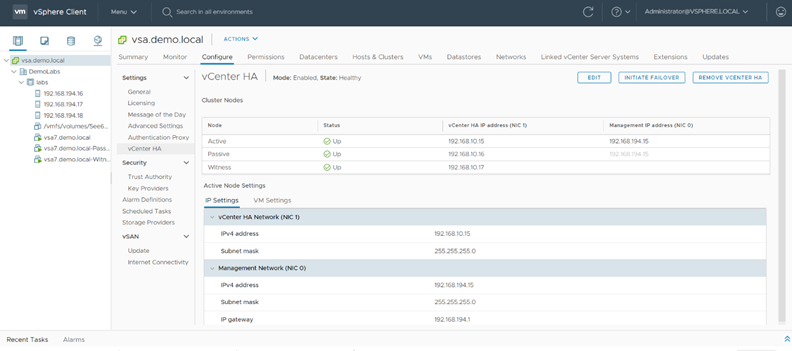
VCenter HA has been configured. You can see two new VM Named with passive & Witness has been created.
Manual Failover
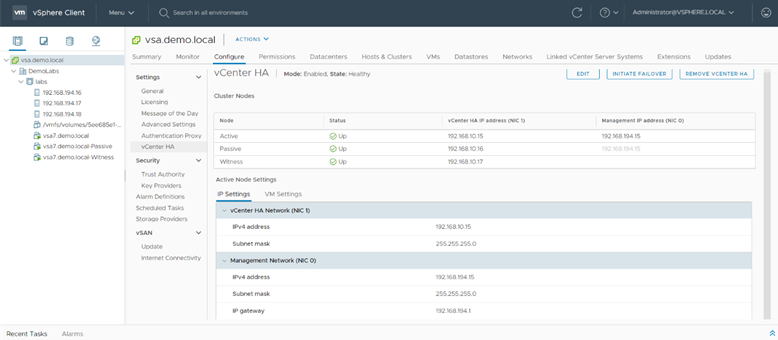
Click on Initiate Failover to start the manual failover.
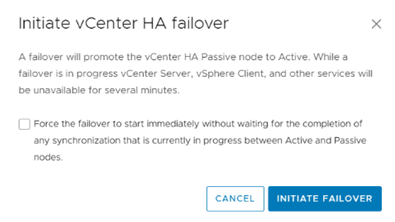
Click Initiate Failover, to confirm the failover. Select force option if you want to initate the failover immediately.
Destroy VCener HA

Click Remove VCenter HA to destroy the Center HA configuration
 The Hyperconverged Perspective