
Nutanix AHV is certified to run Citrix NetScaler. Below is the procedure to create Citrix NetScaler VM on AHV.
- Download NetScaler Virtual Appliance from Citrix Portal
- Extract .tgz file , it will give you .qcow file
- Login to Prism

- Click Setting à Image Configuration
- Click Upload Image and specify below information
- Name
- Image Type
- Storage Container
- Upload a file / From URL
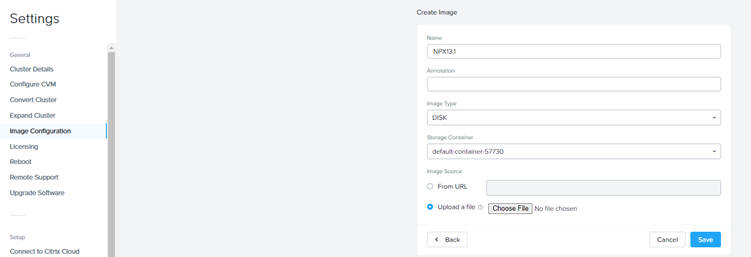
- Click Save to start the upload.
- Navigate to VM page
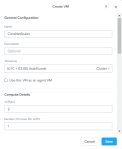
- Create VM , in the VM Creation Dialogue page

- Provide VM Name
- Specify VCPU = 2 (recommended by Citrix)
- Specify Ram = 2G (recommended by Citrix)


-
- Click Add Disk , Select Clone from Image Service and select the Citrix NetScaler Image and click add

-
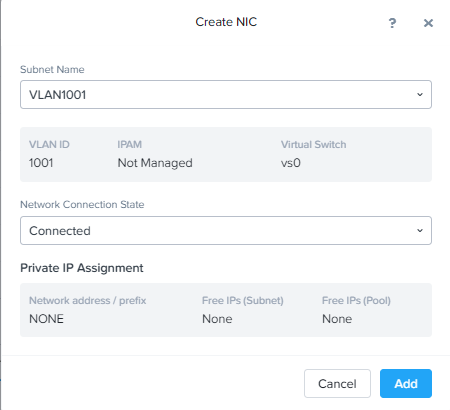
- Add Network and click Add
-
- Click Save to create the VM.
- NetScaler required Serial Port on the VM, to add the Serial Port on the VM
- SSH to CVM
- Run the below command to add the serial port
- acli vm.serial_port_create <vm_name> type=kServer index=0

- Power-On the VM and open console from Prism.
 The Hyperconverged Perspective