
Nutanix Prism Central provides an option to monitor and manage multiple clusters through a single web console. Centralized management tool runs as a separate instance it can be a single VM or a set of VMs.
Prism Central offers following features:
- Single sign on for registered cluster
- Dashboard Customization
- Manage VMs, storage containers, catalog items, images, categories, recoverable entities, and subnets across the registered clusters.
- Mange Nutanix Disaster Recovery & Nutanix Flow
- Hardware component
- Activity monitors for alerts, events, audits, and tasks
- Tools to analyze system activity, plan for resource needs, create usage reports, and automate routine administrative tasks
- Dashboards to manage inventory (LCM), projects, roles, users, and availability zones.
- Service connection pages to enable Calm, Karbon, and Objects
Deploy Prism Central
We can deploy Nutanix Prism Deploy from any cluster with 1-Click operation. Log-in to cluster
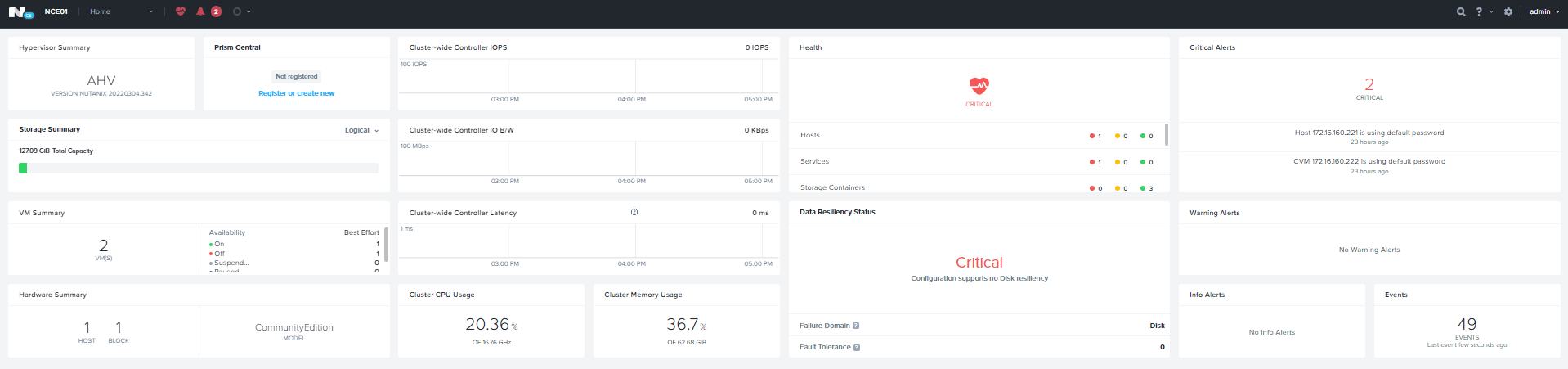
Home Page — > Prism Central Widget — > Register or Create New
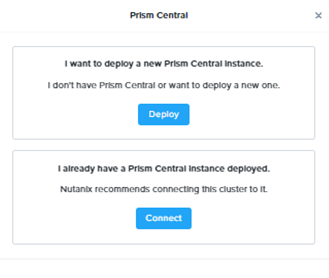
Click Deploy to Start the Deployment Wizard
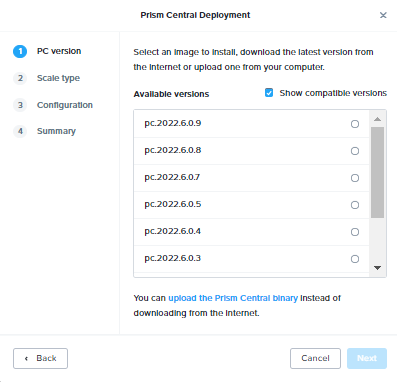
Select the Desire PC Version and click next.
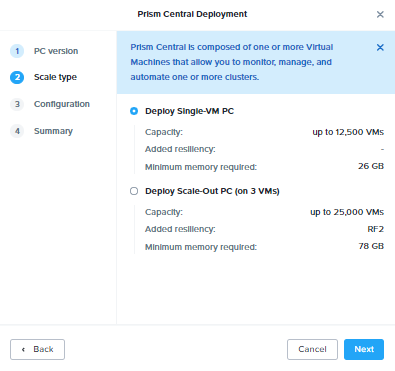
Select the PC Deployment Model and Click Next

Specify the Network, Subnet, Gateway and PC IP and click Next

Review the Deployment summary & Click Deploy to start the PC Deployment.
This will take approximately 30 minutes to complete. After task completion we can login to Prism Central using default credentials.
- https://PC_IP:9440
- User:admin
- Passowrd: Nutanix/4u


Update the password.

Specify the name and accept the agreement.

Enable Pulse and click continue
Register Cluster with Prism Central
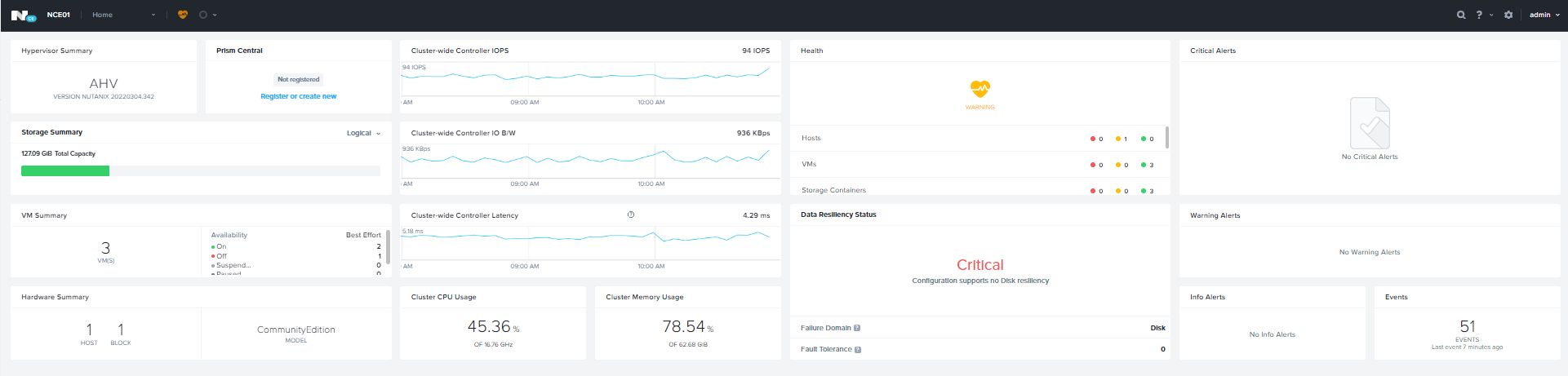
Home Page — > Prism Central Widget — > Register or Create New

Click Connect

Click Next to Continue
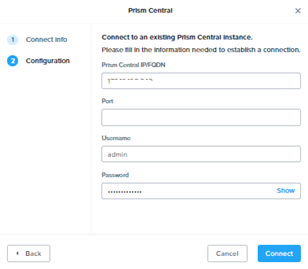
Specify the Prism Central IP , Username and Password and click Connect

Prism Central Disaster Recovery
To Prism Central Disaster Recovery. Browse to Setting — > Prism Central Management

Click Protect Now under Disaster Recovery
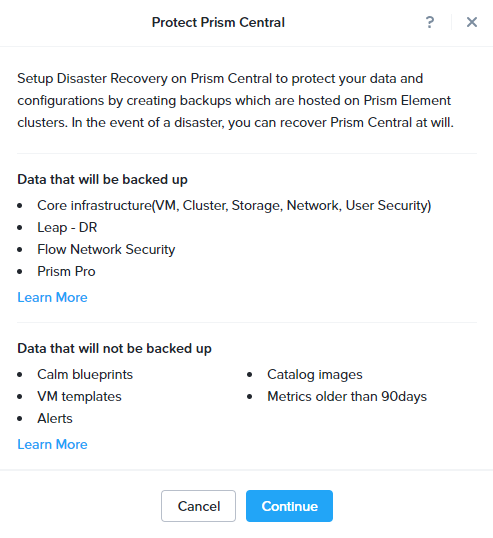
Click Continue

Select the available Cluster where you want to sync and click proceed.
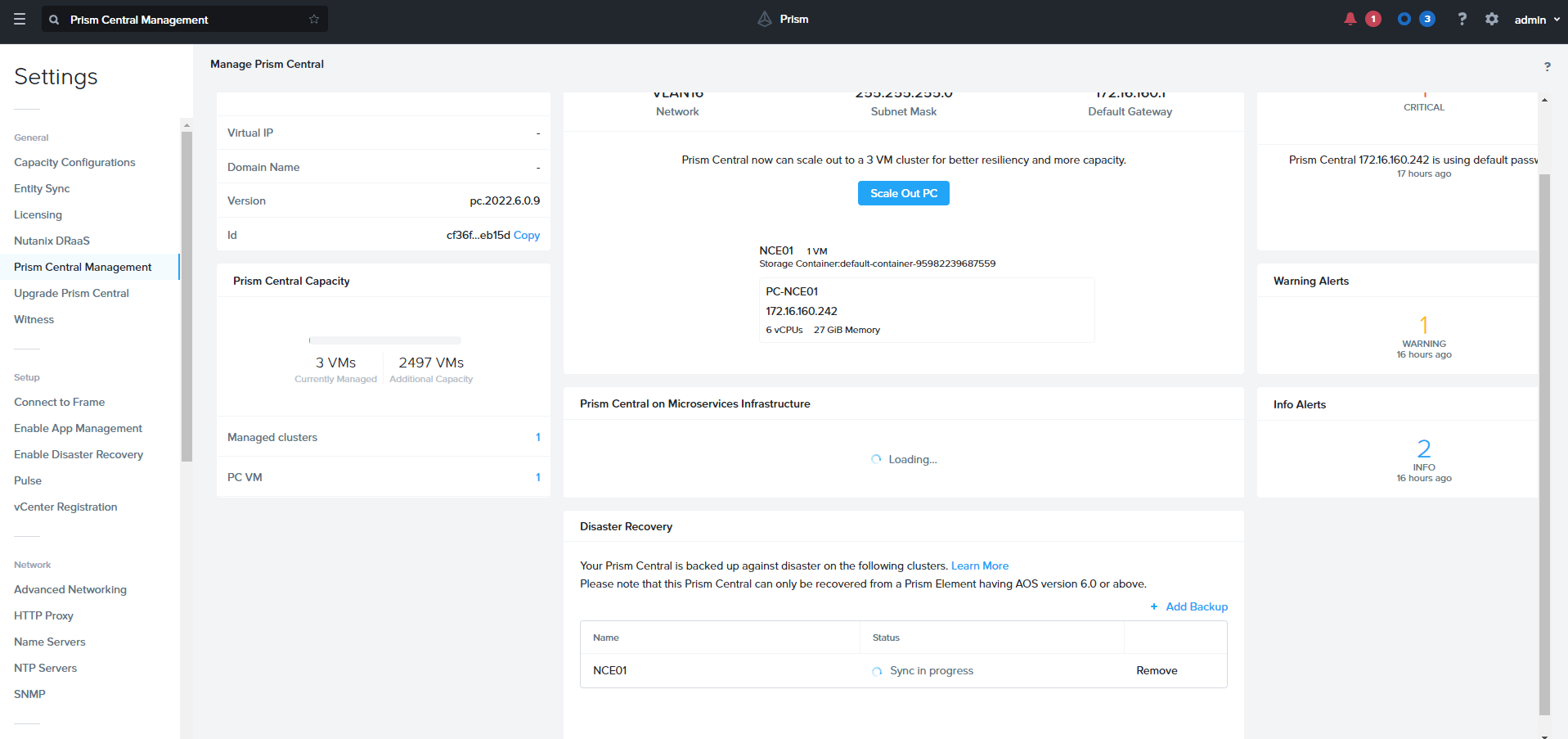
Unregister Cluster from Prim Central
- Login to any CVM
- Run Cluster Status and verify the Services.
- Unregister the cluster from Prim Central
nutanix@cvm$ ncli multicluster remove-from-multicluster external-ip-address-or-svm-ips=pc-name-or-ip username=pc-username password=pc-password force=true - Confirm Unregistration is complete using below command, if command output does not include the cluster details, it means that the unregistration is successful.
- nutanix@cvm$ ncli multicluster get-cluster-state
- Get UUID for the cluster
nutanix@cvm$ ncli cluster info - Login to Prism Central and run the clean-up on prism central
python /home/nutanix/bin/unregistration_cleanup.py uuid
 The Hyperconverged Perspective