Honored to Be Part of the Nutanix MC Experts Community

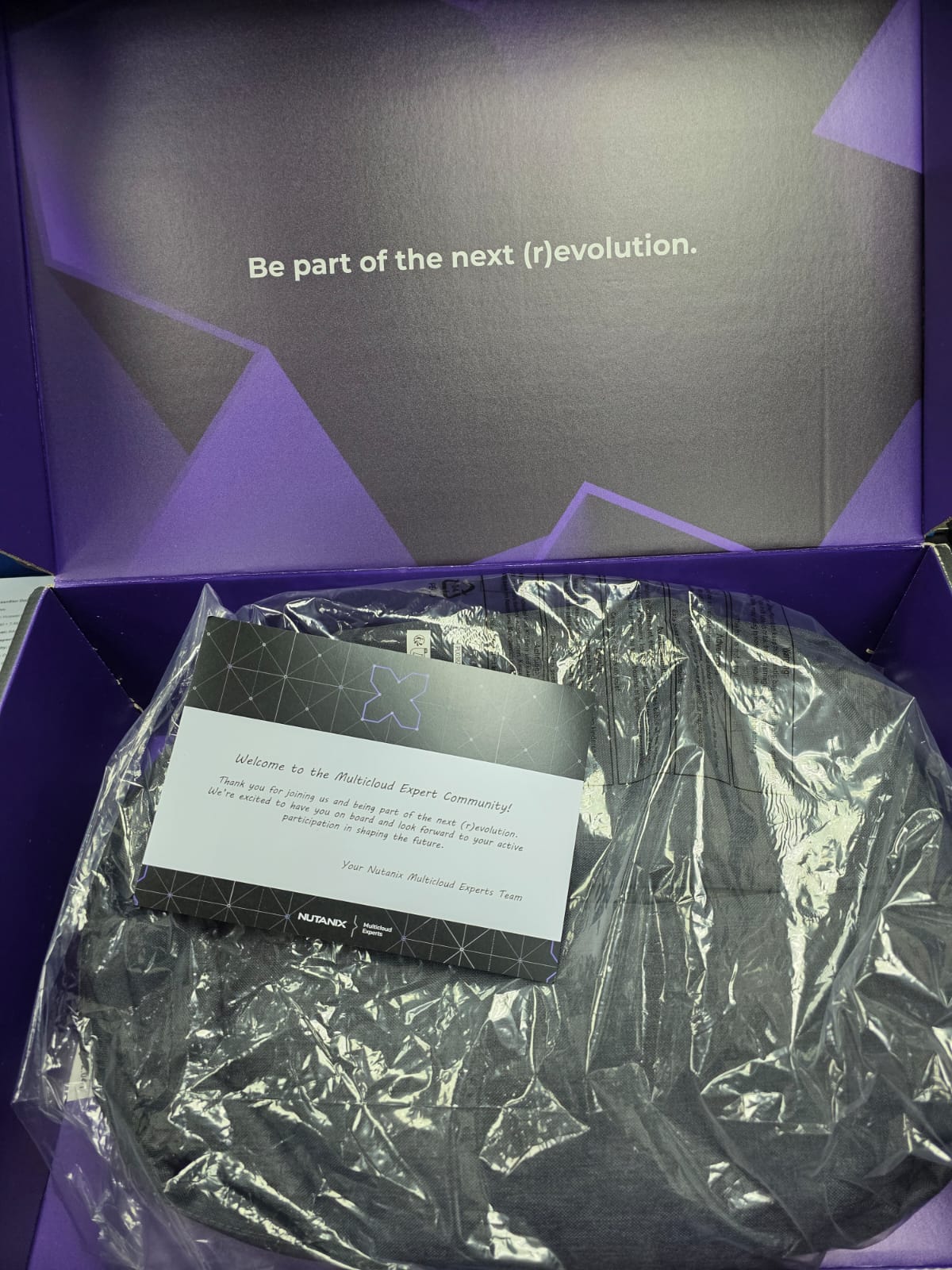
I’m truly honored to be selected as part of the Nutanix Multicloud Experts (MC Experts) Community for the EMEA region.

This community brings together experienced cloud professionals who are passionate about helping organizations design, operate, and optimize modern multicloud environments across private, public, and edge platforms. Being part of MC Experts is a great opportunity to collaborate with like-minded experts, share real-world experiences, and contribute to solving complex multicloud challenges.

Nutanix continues to play a key role in enabling enterprises to simplify multicloud operations, and this initiative reflects a strong commitment to knowledge sharing, continuous learning, and community-driven innovation. I look forward to engaging in technical discussions, hands-on challenges, and knowledge-exchange sessions with peers and Nutanix engineers.

Thank you to Nutanix for this recognition and for creating a platform that empowers professionals across the region. Excited for the journey ahead and the opportunity to contribute to the MC Experts community.

#NutanixStories (Customers), #NutanixPartners, #MCExperts, #MCX

My Experience Attending the Nutanix MEA Partner Summit Synergy Sphere: Lead With Purpose

Attending the Nutanix MEA Partner Summit 2025 was an inspiring and energizing experience that brought together the region’s top technology leaders and strategic partners. This year’s theme — Synergy Sphere: Lead With Purpose — reflected the collective spirit of innovation, collaboration, and purposeful leadership that Nutanix continues to champion.

Set against the beautiful backdrop of Colombo, Sri Lanka, the summit delivered the perfect blend of learning, networking, recognition, and memorable experiences.

A Strong Start – Reconnecting with the MEA Partner Community

The summit began with a warm welcome as partners from across the Middle East & Africa gathered once again. The welcome dinner at Bellevue Beach Club provided the ideal setting to reconnect, exchange ideas, and set the tone for the days ahead.

Insights, Vision, and Leadership

Day two featured deep-dive sessions covering:

  • Hybrid multi-cloud innovation
  • Customer transformation journeys
  • Nutanix Cloud Platform advancements
  • Partner growth strategies

One standout session was the Masterclass by Harish Sai Raman, focusing on leadership mindset and personal growth — a powerful reminder of how purpose drives performance.

A Proud Moment for FutureTEC – Gold Collaboration Award

One of the most memorable highlights of the summit was the Awards Night, where partners were recognized for outstanding contributions throughout the year.

I am incredibly proud to share that FutureTEC was honored with the Gold Collaboration Award — a testament to our team’s commitment, our customer-first focus, and our strong partnership with Nutanix.
This award reinforces our dedication to delivering excellence and driving meaningful outcomes across the region.

Exploring Sri Lanka – Building Connections Beyond the Ballroom

The “Coastal Charms of Bentota” excursion added a refreshing touch to the summit, offering partners a chance to unwind, experience the beauty of Sri Lanka, and continue building strong relationships in a relaxed setting.

Why This Summit Matters

The Nutanix MEA Partner Summit goes beyond presentations and networking — it is a platform that aligns vision, strengthens partnerships, and accelerates the region’s digital journey.

For FutureTEC, attending this summit is a powerful reminder of our mission:
to lead with purpose, innovate with confidence, and collaborate to create real impact.

Looking Ahead

As we return from the summit, we bring back renewed energy, stronger partnerships, and a shared commitment to the future.
A heartfelt thank you to the Nutanix team for hosting an exceptional event — and to all the partners who made the experience meaningful.

Here’s to continued collaboration, innovation, and purpose-driven success.
And once again — congratulations to FutureTec for winning the Gold Collaboration Award!

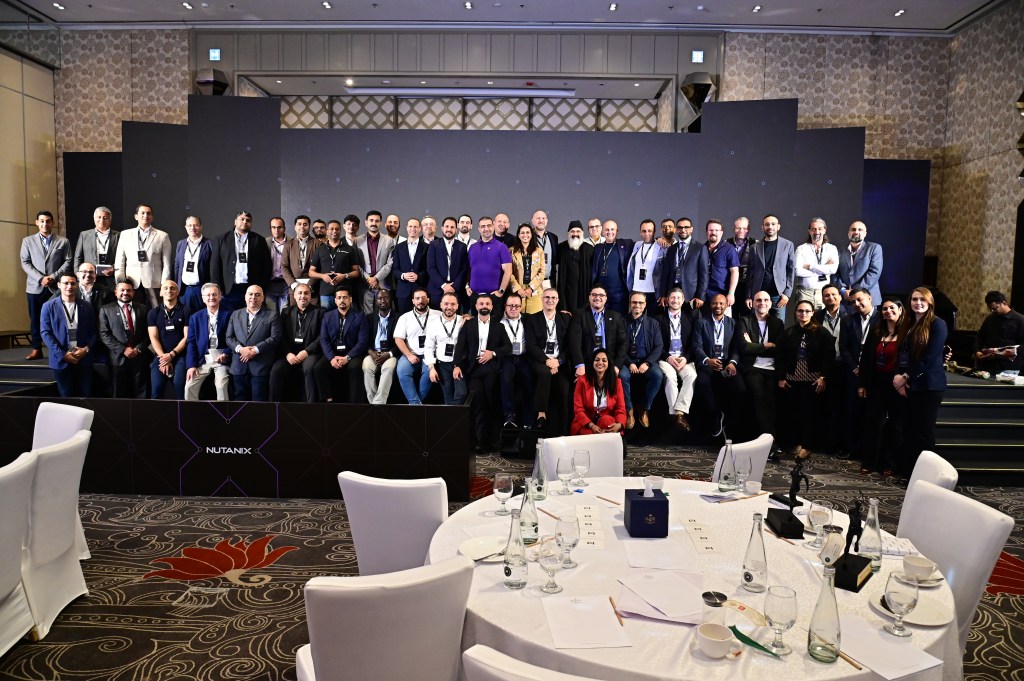
Glimpses from an amazing Nutanix MEA Partner Summit in Colombo!

Free Nutanix Exam Voucher Promotion

Great news!

The free Nutanix exam voucher promotion has been extended for another year 😀. This is a great opportunity for all Nutanix Partners to continue strengthening our skills and completing the full suite of Nutanix Certifications.

Partners can still request 100% free exam vouchers through Nutanix University for the following certifications:

  • NCA
  • NCP-MCI
  • NCP-MCA
  • NCS-Core

Offer is valid until July 31, 2026, so please make sure to claim your vouchers in advance. You may schedule your exams now and reschedule later if needed.

For more details and to request your voucher, please visit the link below:
🔗 https://lnkd.in/dZcRy9jF

If you need any assistance or guidance regarding the certification paths, feel free to reach out.

My Experience at the Nutanix Enterprise Cloud Design Bootcamp – A Week of Intense Learning and Growth

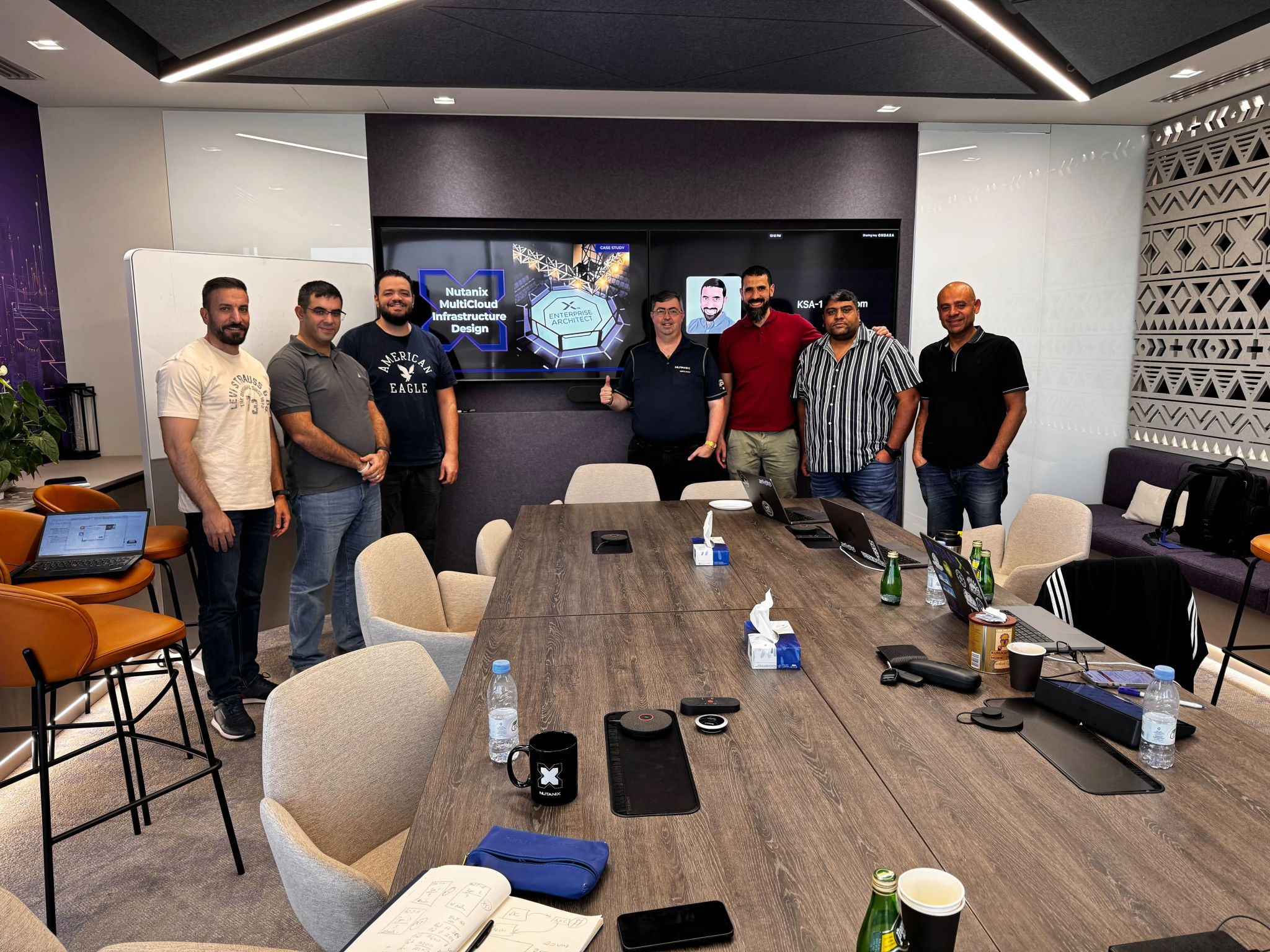
Last week, I had the incredible opportunity to attend the Nutanix Enterprise Cloud Design Bootcamp held in Riyadh — an advanced, hands-on training program focused on designing resilient, scalable, and high-performing Nutanix Enterprise Cloud solutions.

The bootcamp brought together passionate professionals from across the region to collaborate, share knowledge, and tackle real-world design challenges that mirror enterprise-scale customer environments. It was a week filled with deep technical learning, strategic thinking, and collaborative problem-solving — truly one of the most enriching training experiences I’ve had so far.

Deep Dive into Enterprise Cloud Design

The sessions covered an impressive range of topics, from infrastructure and storage architecture to resiliency, data protection, Network and Security. What made the bootcamp unique was the focus on practical application — each day involved a combination of learning modules, group discussions, and team-based design exercises that simulated real customer scenarios.

Every design challenge required balancing performance, availability, scalability, and cost-efficiency, which made us think critically about trade-offs and architectural decisions. It wasn’t just about knowing the technology — it was about designing with intent.

Collaboration, Stress, and Satisfaction

This wasn’t your typical classroom training. Each exercise pushed us to work as a team under pressure, defend our design decisions, and present our solutions to experienced Nutanix architects. The environment was intense but deeply rewarding.

By the end of the week, every participant had stepped out of their comfort zone — presenting complex architectures, debating approaches, and learning from one another. The shared sense of accomplishment made it worth every late-night diagram and every revision slide before presentation time.

Acknowledgments

A heartfelt thanks to Mr. Feras for his continued support and for making this opportunity possible, and to Mr. Irfan Mukadam for nominating me for the advanced training. Your confidence and encouragement mean a lot — and it truly reflects FutureTEC’s dedication to nurturing and growing its technical talent.

Special appreciation to Michal Webster and Fouad Khatib for their exceptional mentorship and for leading the sessions with such enthusiasm, energy, and technical depth. Their ability to blend theory with real-world insights made the learning experience truly memorable.

Back to Kuwait, Ready to Apply and Share

Now that I’m back in Kuwait, I’m excited to apply the lessons learned during the bootcamp to real projects and share that knowledge with my team. The week in Riyadh reinforced the importance of continuous learning, collaboration, and design thinking in building robust enterprise cloud solutions.

This experience reaffirmed my belief that technology training isn’t just about upgrading technical skills — it’s about changing the way we approach design, strategy, and problem-solving.

Final Thoughts

The Nutanix Enterprise Cloud Design Bootcamp is more than a training — it’s an experience that transforms how you view enterprise architecture. It challenges you to think like a solution designer, collaborate like an architect, and deliver like a trusted advisor.

I’m grateful for this opportunity and proud to represent FutureTEC in such an impactful learning journey.

Here’s to more learning, collaboration, and innovation ahead!

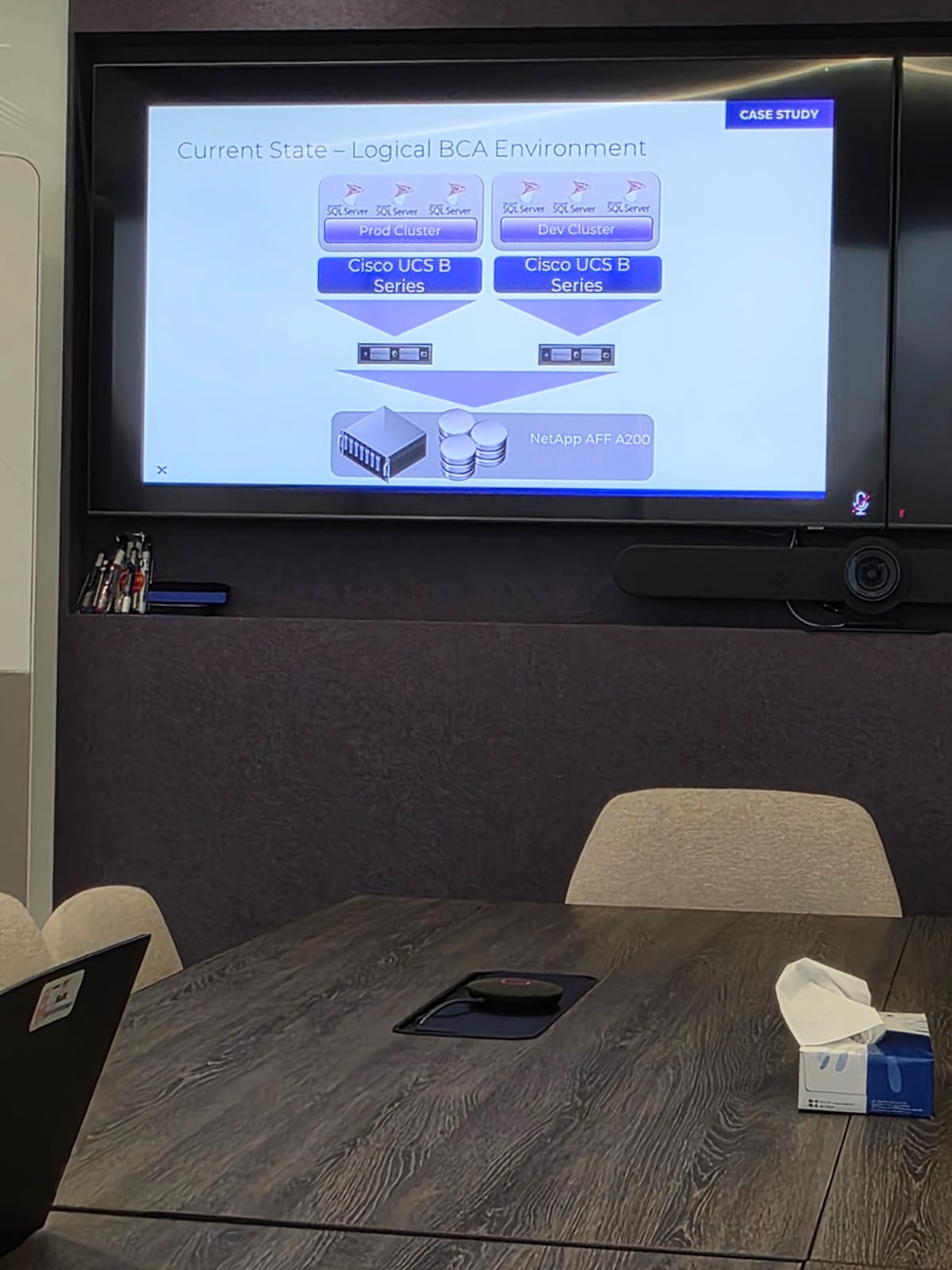
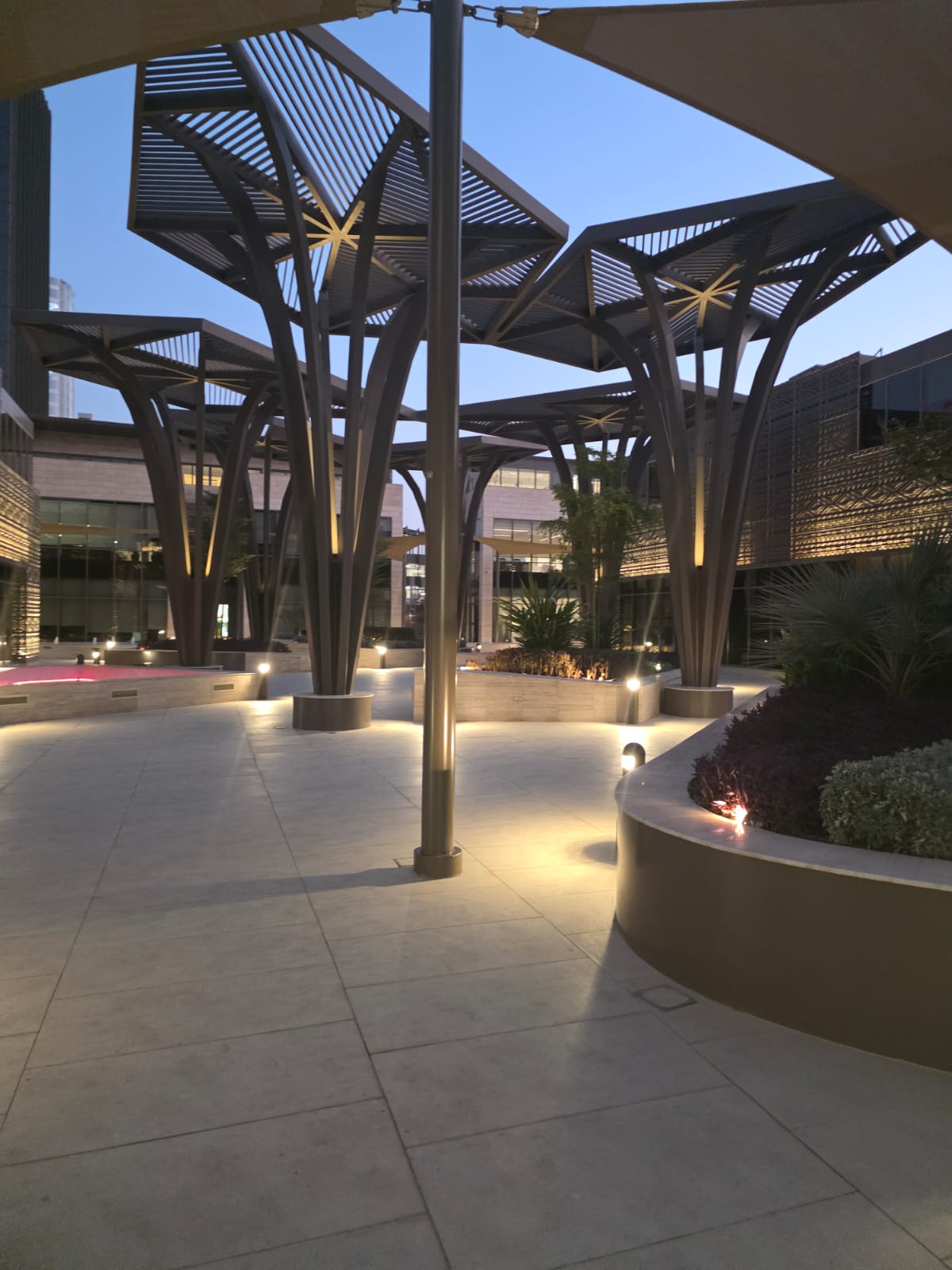
Some Clicks from Nutanix Riyadh Campus

Unlock Nutanix admin user

Based on the user lockout policy, due to entering wrong password if admin account gets locked-out you can unlock the account using below command.

Login to CVM using nutanix user:

allssh sudo faillock –user <username_to_unlock> –reset

iNode issue in AOS 6.5.3

Today one of the Nutanix Customer called me saying their Nutanix Cluster was down. Upon checking noticed all cluster services were down. When tried to start the cluster Genesis logs pointed to insufficient disk space. On further inspection Linux File system on all CVM was at 100% usage for inodes.

nutanix@NTNX-XXXXXXX-XXXXX-B-CVM:192.168.X.XXX:~$ allssh df -i

================== 192.168.X.XXX =================

Filesystem Inodes IUsed IFree IUse% Mounted on

devtmpfs 4114406 434 4113972 1% /dev

tmpfs 4118255 1 4118254 1% /dev/shm

tmpfs 4118255 4036 4114219 1% /run

tmpfs 4118255 16 4118239 1% /sys/fs/cgroup

/dev/sda2 655360 655360 0 100% /

/dev/loop0 65536 230 65306 1% /tmp

/dev/sda3 2621440 99593 2521847 4% /home

tmpfs 4118255 1 4118254 1% /run/user/0

tmpfs 4118255 1 4118254 1% /run/user/1000

/dev/sdc1 244191232 811486 243379746 1% /home/nutanix/data/stargate-storage/disks/VGJ3VHSG

/dev/sdb1 244191232 813612 243377620 1% /home/nutanix/data/stargate-storage/disks/VGJ3XMZG

/dev/sda4 113278976 267907 113011069 1% /home/nutanix/data/stargate-storage/disks/S455NC0N900742

================== 192.168.X.XXX =================

Filesystem Inodes IUsed IFree IUse% Mounted on

devtmpfs 4114406 434 4113972 1% /dev

tmpfs 4118255 1 4118254 1% /dev/shm

tmpfs 4118255 4036 4114219 1% /run

tmpfs 4118255 16 4118239 1% /sys/fs/cgroup

/dev/sda2 655360 655360 0 100% /

/dev/loop0 65536 256 65280 1% /tmp

/dev/sda3 2621440 199946 2421494 8% /home

tmpfs 4118255 1 4118254 1% /run/user/0

tmpfs 4118255 1 4118254 1% /run/user/1000

/dev/sdc1 244191232 763959 243427273 1% /home/nutanix/data/stargate-storage/disks/VGJ6TR5G

/dev/sda4 113278976 301854 112977122 1% /home/nutanix/data/stargate-storage/disks/S455NC0N900734

/dev/sdb1 244191232 763815 243427417 1% /home/nutanix/data/stargate-storage/disks/VGJ6XASG

================== 192.168.X.XXX =================

Filesystem Inodes IUsed IFree IUse% Mounted on

devtmpfs 4114406 434 4113972 1% /dev

tmpfs 4118255 1 4118254 1% /dev/shm

tmpfs 4118255 4036 4114219 1% /run

tmpfs 4118255 16 4118239 1% /sys/fs/cgroup

/dev/sda2 655360 655360 0 100% /

/dev/loop0 65536 110 65426 1% /tmp

/dev/sda3 2621440 100851 2520589 4% /home

tmpfs 4118255 1 4118254 1% /run/user/0

tmpfs 4118255 1 4118254 1% /run/user/1000

/dev/sda4 113278976 261394 113017582 1% /home/nutanix/data/stargate-storage/disks/S455NA0N906186

/dev/sdc1 244191232 754575 243436657 1% /home/nutanix/data/stargate-storage/disks/VGJ6Y34G

/dev/sdb1 244191232 756298 243434934 1% /home/nutanix/data/stargate-storage/disks/VGJ3BGWG

This issue is already identified by known scenarios on version AOS 6.5.3. where the /var/spool/postfix/maildrop directory fills up the inodes.

Nutanix Tech note : https://portal.nutanix.com/kb/6082 can be referred for the same.

Basically, You have to run the below command will clear-up the files.

nutanix@NTNX-XXXXXXX-XXXXX-B-CVM:192.168.X.XXX:~$ allssh ‘sudo du –inode /var/spool/postfix/maildrop’

Confirm inode usage is Normal

nutanix@NTNX-XXXXXXX-XXXXX-B-CVM:192.168.X.XXX:~$ allssh df -i

================== 192.168.X.XXX =================

Filesystem Inodes IUsed IFree IUse% Mounted on

devtmpfs 4114406 434 4113972 1% /dev

tmpfs 4118255 1 4118254 1% /dev/shm

tmpfs 4118255 596 4117659 1% /run

tmpfs 4118255 16 4118239 1% /sys/fs/cgroup

/dev/sda2 655360 57441 597919 9% /

/dev/loop0 65536 237 65299 1% /tmp

/dev/sda3 2621440 99715 2521725 4% /home

tmpfs 4118255 1 4118254 1% /run/user/0

tmpfs 4118255 1 4118254 1% /run/user/1000

/dev/sdc1 244191232 811483 243379749 1% /home/nutanix/data/stargate-storage/disks/VGJ3VHSG

/dev/sdb1 244191232 813592 243377640 1% /home/nutanix/data/stargate-storage/disks/VGJ3XMZG

/dev/sda4 113278976 267565 113011411 1% /home/nutanix/data/stargate-storage/disks/S455NC0N900742

================== 192.168.X.XXX =================

Filesystem Inodes IUsed IFree IUse% Mounted on

devtmpfs 4114406 434 4113972 1% /dev

tmpfs 4118255 1 4118254 1% /dev/shm

tmpfs 4118255 596 4117659 1% /run

tmpfs 4118255 16 4118239 1% /sys/fs/cgroup

/dev/sda2 655360 57443 597917 9% /

/dev/loop0 65536 267 65269 1% /tmp

/dev/sda3 2621440 200108 2421332 8% /home

tmpfs 4118255 1 4118254 1% /run/user/0

tmpfs 4118255 1 4118254 1% /run/user/1000

/dev/sdc1 244191232 763957 243427275 1% /home/nutanix/data/stargate-storage/disks/VGJ6TR5G

/dev/sda4 113278976 301781 112977195 1% /home/nutanix/data/stargate-storage/disks/S455NC0N900734

/dev/sdb1 244191232 763813 243427419 1% /home/nutanix/data/stargate-storage/disks/VGJ6XASG

================== 192.168.X.XXX =================

Filesystem Inodes IUsed IFree IUse% Mounted on

devtmpfs 4114406 434 4113972 1% /dev

tmpfs 4118255 1 4118254 1% /dev/shm

tmpfs 4118255 596 4117659 1% /run

tmpfs 4118255 16 4118239 1% /sys/fs/cgroup

/dev/sda2 655360 57430 597930 9% /

/dev/loop0 65536 118 65418 1% /tmp

/dev/sda3 2621440 100257 2521183 4% /home

tmpfs 4118255 1 4118254 1% /run/user/0

tmpfs 4118255 1 4118254 1% /run/user/1000

/dev/sda4 113278976 261402 113017574 1% /home/nutanix/data/stargate-storage/disks/S455NA0N906186

/dev/sdc1 244191232 754575 243436657 1% /home/nutanix/data/stargate-storage/disks/VGJ6Y34G

/dev/sdb1 244191232 756298 243434934 1% /home/nutanix/data/stargate-storage/disks/VGJ3BGWG

Restart genesis service on all cluster:

nutanix@NTNX-XXXXXXX-XXXXX-B-CVM:192.168.X.XXX:~$ cluster restart_genesis

Start Cluster:

nutanix@NTNX-XXXXXXX-XXXXX-B-CVM:192.168.X.XXX:~$ cluster start

Once Cluster/inode usage is normal, upgrade the AOS latest release to avoid any future issues.

Hope this helps 😊

Configuring Nutanix Data Protection (Legacy Protection Domain)

In this article we will discuss Legacy Nutanix Data Protection.

LAB Environment: 2 X Nutanix CE Single Node Cluster

Login to Primary Cluster: https://CVM_IP:9440

Data Protection

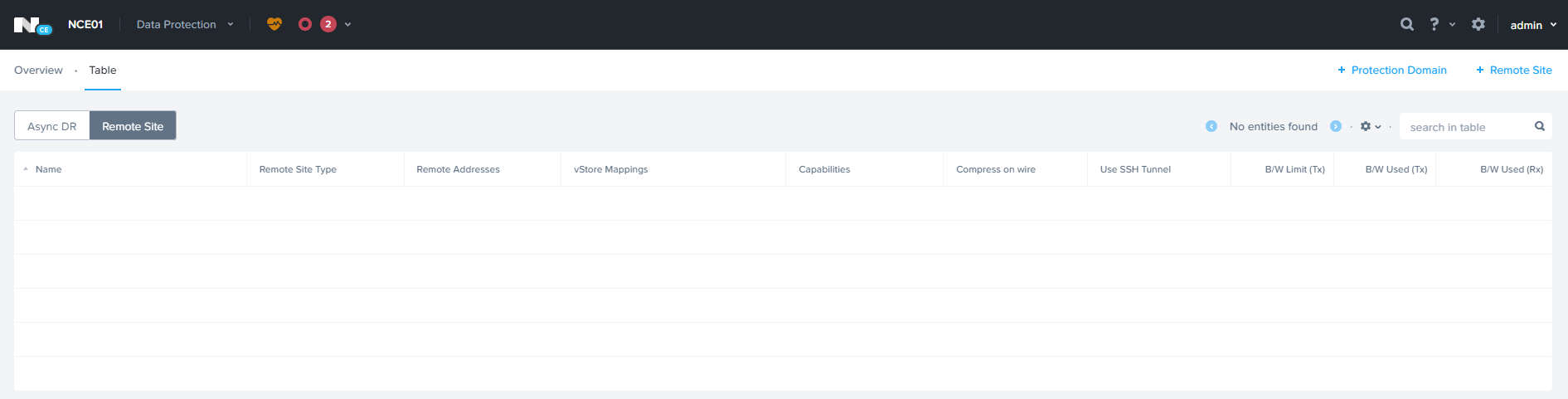
Click on Table View — > Remote Site

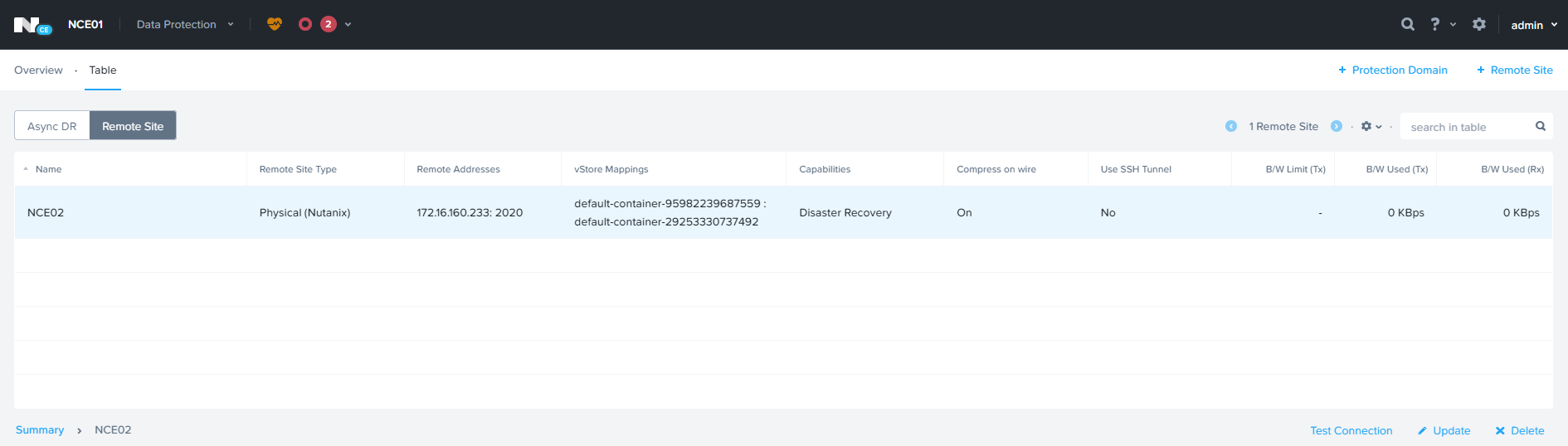
Click Remote Site à Physical Cluster

Enter Remote Site Name & Remote Cluster IP

Specify the Source & Target Network Mapping and Datastore Mapping and click Save.

ADD remote Site on the 2nd cluster.

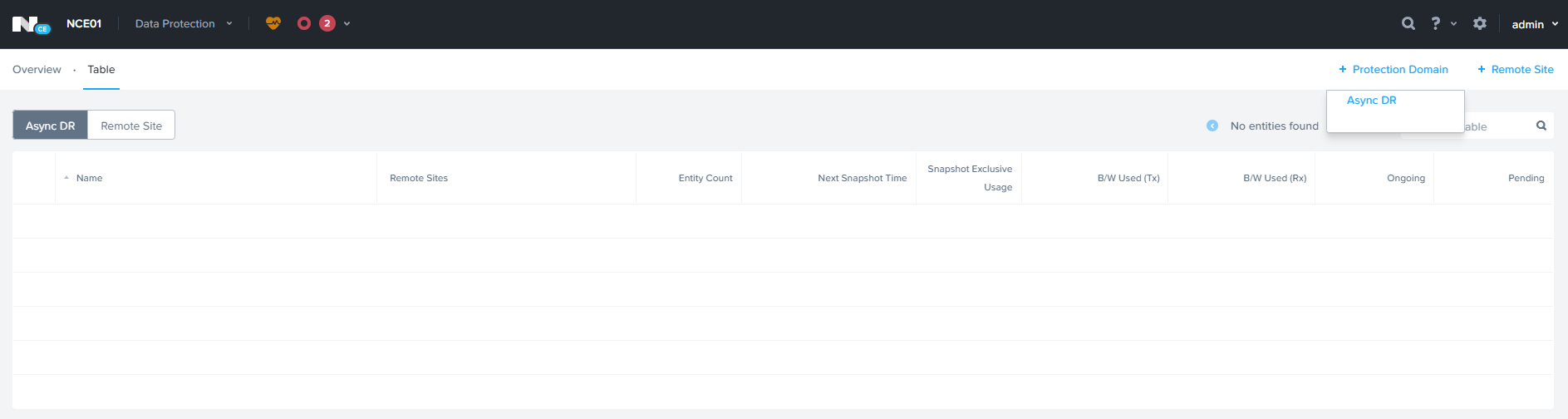
Click Protection Domain — > Async DR

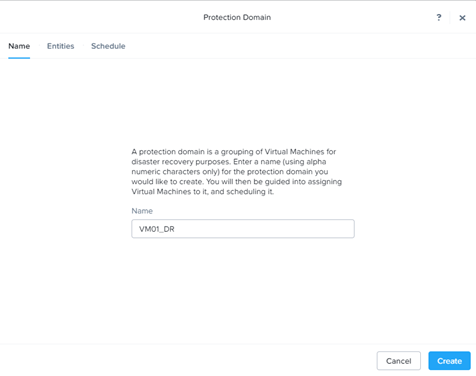
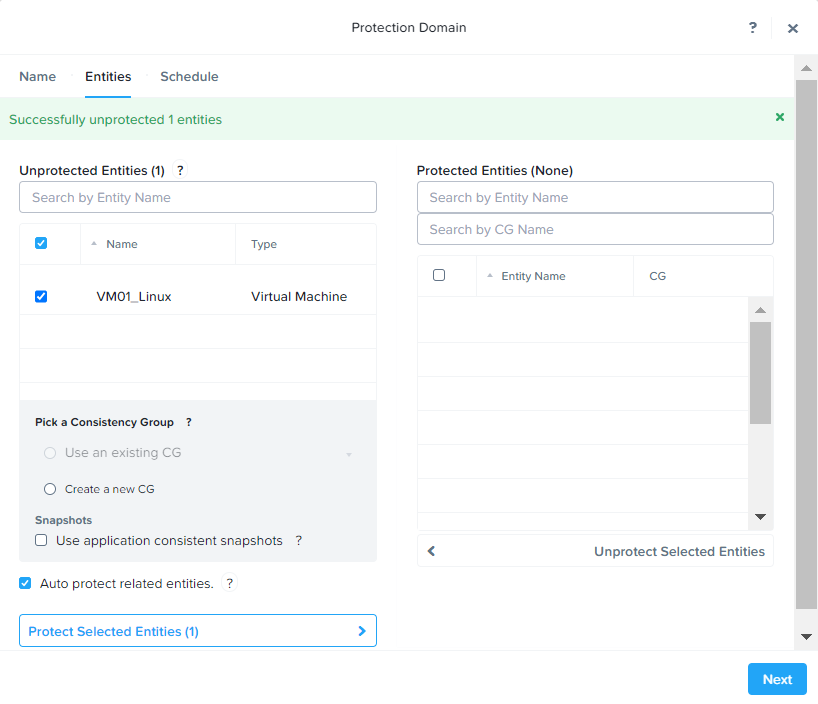
Click Create

Select VM and Click Protect Selected Entities to add for protection.

Click Next to Continue

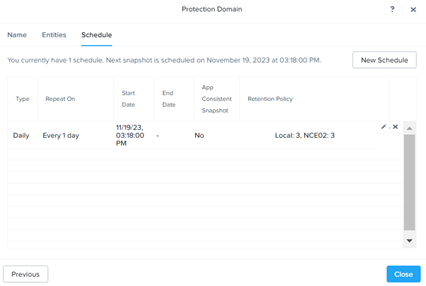
Click New Schedule to add the Schedule.

Specify the Snapshot frequency & Retention policy for local & Remote Cluster

Click Close

Planned Failover:

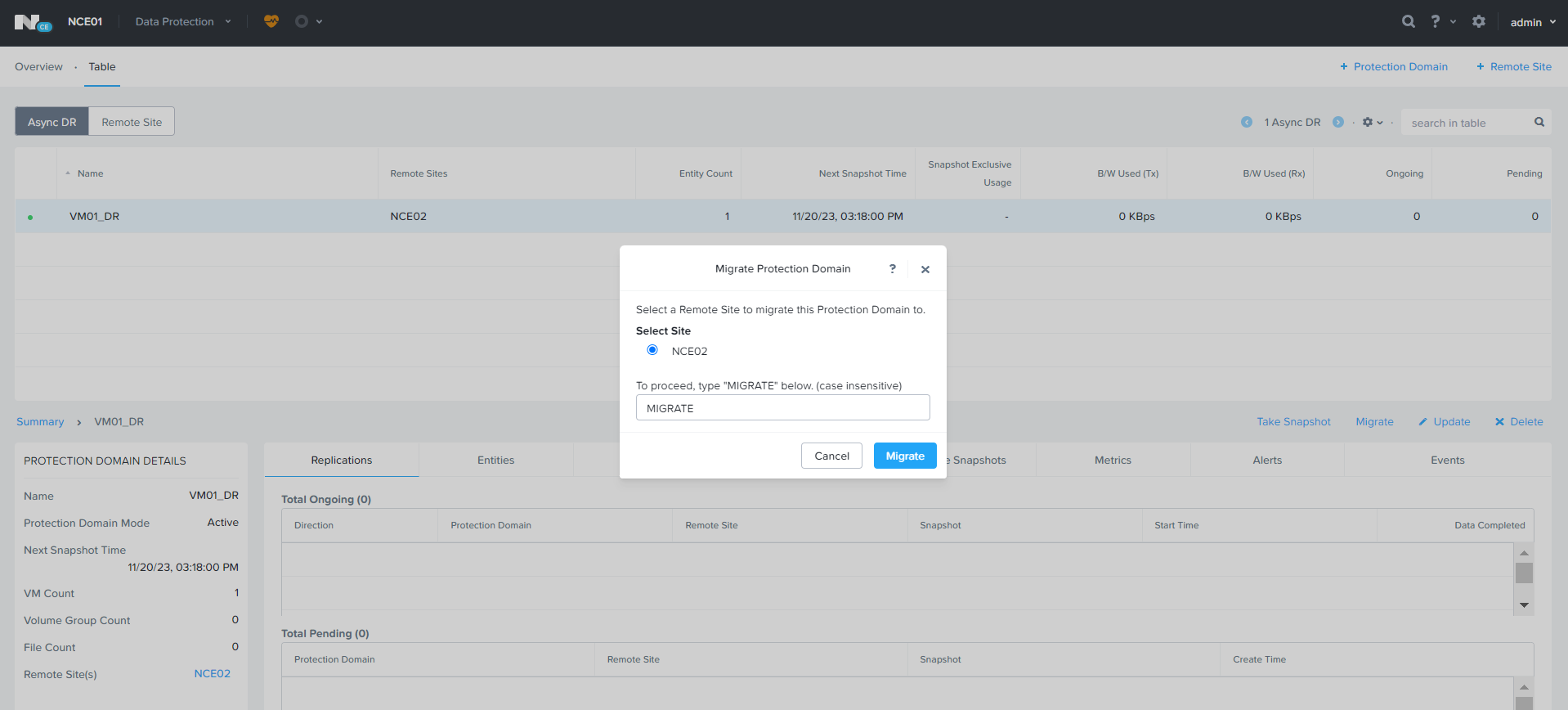
From Active Site, Select the Protection Domain — > Migrate

Type Migrate and Click Migrate for Migration.

Migration Task will be created, it will take 1-2 minutes to complete. During the process VM will be shutdown from active site and deregistered from active site and registered to the Remote Site.

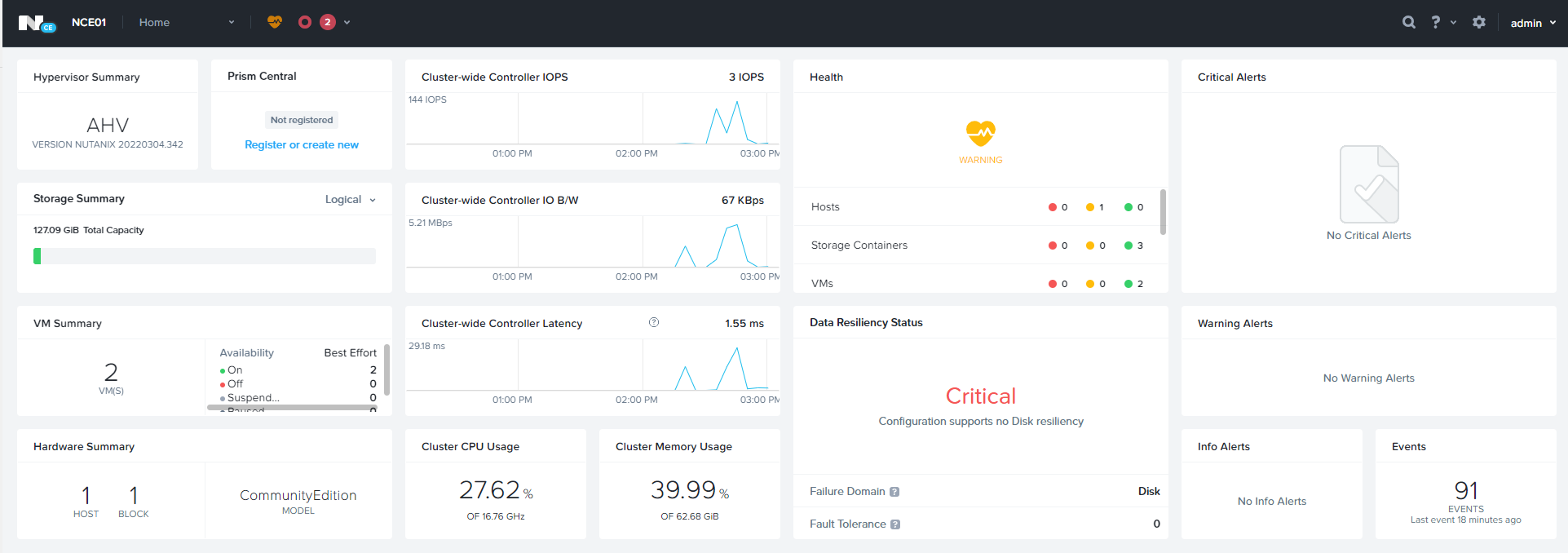
Initally Active on NCE01 Cluster

Migrated to NCE02

Configuring CVM Memory

Sometimes we need to increase the CVM Memory to enable Advanced functionality like Compression, Deduplication, or performance issues.

Memory can be increased from PRISM UI. Setting –> Configure CVM

Specify the desire memory and click Apply. CVM reboot task will be scheduled for all CVMs and memory will be updated.

Memory Increase / Decrease from CLI

Login to AHV host with SSH

List all Virtual Machines on the AHV host.

[root@NTNX-b8c39436-A ~]# virsh list –all

Shutdown the CVM, SSH to CVM

Login to CVM

nutanix cvm_shutdown -P now

Modify the CVM Virtual Machine

nutanix virsh setmaxmem cvm_name –config –size 24GiB

nutanix virsh setmem cvm_name –config –size 24gbGiB

Start CVM Virtual Machine

[root@NTNX-b8c39436-A ~]# virsh list –all

[root@NTNX-b8c39436-A ~]# virsh start cvm_name(get the name from above command)

Veritas NetBackup Integration with Nutanix AHV for Virtual Machines Backup

Veritas NetBackup Supports Nutanix AHV Virtual Machines Backup. In the below article will discuss how we can integrate Nutanix & Veritas NetBackup.

Establishing communication between NetBackup and Nutanix AHV

  • The NetBackup master server, media server needs to establish communication with the Nutanix Acropolis cluster through a backup host to complete a backup or restore job.

Configuring communication between the Nutanix Acropolis Hypervisor server and NetBackup host

we can go with secure or unsecure communication for the backup.

  1. Unsecure communication between Nutanix AHV & NetBackup Host.

Disable SSL Validation in nb_nutanix-ahv.conf

/usr/openv/netbackup/nb_nutanix-ahv.conf

{ “enable_ssl_validations”:false, “cert_authority_file”:””}

Default is True to keep SSL enabled, False to disable SSL

  1. Secure communication between Nutanix AHV & NetBackup Host.
    1. Use the openssl s_client -connect <Nutanix Cluster FQDN>:9440 -showcerts < /dev/null command from a Linux system to obtain the Nutanix certificates.
    2. Scroll to the end of the results and copy the last certificate which starts from:
      —–BEGIN CERTIFICATE—–
      <Certificate>
      —–END CERTIFICATE—–
    3. Paste the information to a text file and then rename it as <certificate file name>.pem and copy it to a path to your backup host. Recommended path “/usr/openv/netbackup
    4. Enter the PEM file path ECA_TRUST_STORE_PATH=/usr/openv/netbackup/<certificate file name>.pem in the bp.conf on the backup host.
Use the nbsetconfig command to configure the following NetBackup configuration options on the access host.
ECA_TRUST_STORE_PATH
Specifies the file path to the certificate file that contains all trusted root CA certificates.
ECA_CRL_PATH Specifies the path to the directory where the certificate revocation lists (CRL) of the external CA are located.
VIRTUALIZATION_HOSTS_SECURE_CONNECT_ENABLED This option affects AHV, RHV, and VMware secure communication. Without this option, each workload and plug-in separately determine the secure or the insecure communication.Disabling this option lets you skip the security certificate validation. It is recommended by NetBackup that secure communication should be enabled using the ECA_TRUST_STORE_PATH option.
VIRTUALIZATION_CRL_CHECK Let you validate the revocation status of the virtualization server certificate against the CRLs. By default, the option is enabled.

Whitelist NetBackup backup host IPs on Nutanix.

Adding Nutanix Cluster in NetBackup Console

Create AHV Protection Plan:

  • Create Protection plan for AHV Backup, Protection à Protection Plan
  • Click Add to add the new Protection plan.
  • Specify the Protection Plan, Select the Workload and Click Next
  • Create the Desire backup schedule & Specify the Backup retention.
  • Click Next to continue.
  • Specify the Backup Destination Storage and click Select to continue.
  • Click Next to Continue
  • Specify the user if you want to enable the RBAC
  • Click Next to Continue, review the configuration and click Finish.

Add AHV Cluster:

  • Expand workload à Nutanix AHV
  • Click on AHV Cluster to add the AHV Cluster
  • Click Start
  • Specify Nutanix Cluster IP, Specify Backup host and add a new credential.
  • Specify the Credential name, username, password for Nutanix Cluster and click next
  • AHV Cluster is added in NetBackup & AHV VMs will be discovered under Virtual Machines Section.

Assign AHV VMs to Protection Plan:

  • Workload à Nutanix AHV à Virtual Machines
  • Select Virtual Machine and click Add Protection to assign VM to Protection Plan.
  • Select Protection Plan and click Next to continue.
  • Click Close

Nutanix Common Commands

In Today’s article will look at some of the common Nutanix CLI Commands you must know. Commands listed below are some of the most useful and most frequently used Nutanix CLI commands.

How to Start Nutanix Cluster

To Start the Nutanix Cluster you need to run the below command on any of the CVM.

nutanix@NTNX-b8c39436-A-CVM:~$ cluster start

How to Stop Nutanix Cluster

To Stop the Nutanix Cluster you need to run the below command on any of the CVM.

nutanix@NTNX-b8c39436-A-CVM:~$ cluster stop

How to Check Nutanix Cluster Status

To check the Nutanix Cluster status need to run the below command on any of the CVM.

nutanix@NTNX-b8c39436-A-CVM:~$ cluster status

output will be as below.

How to get Nutanix Cluster Info

To get the Nutanix Cluster information need to run the below command on any of the CVM.

nutanix@NTNX-b8c39436-A-CVM:~$ ncli cluster info

How to get all Host IP Address in the Cluster

To get all hosts IP Address in the Cluster you need to run the below command on any of the CVM.

nutanix@NTNX-b8c39436-A-CVM:~$ hostips

How to get all CVM IP Address in the Cluster

To get all CVM IP Address in the cluster you need to run the below command on any of the CVM.

nutanix@NTNX-b8c39436-A-CVM:~$ svmips

How to Check if Hypervisor Upgrade State

To Check the Hypervisor(AHV, VMWare) Upgrade State, you need to run the below command.

nutanix@NTNX-b8c39436-A-CVM:~$ host_upgrade_status